


Background
After the development process of the BLUE Android Design System was completed, the next phase for the team focused on continuous maintenance, feature development, and bug fixing. At the same time, there was an internal KPI to measure the adoption rate of the BLUE Android Design System across all Android projects.
During the implementation process, challenges were still found regarding the understanding and adoption of components. Designers and Android developers needed clearer references on how components are used in a real context, both in terms of interaction and implementation, so that discussions and design decision-making processes could run more efficiently.
Without structured exploration media, the communication process between designers and developers often took longer due to the lack of visual and technical guidelines that could be used as a shared reference. To answer this need, a solution in the form of an interactive catalog was required to bridge both roles in understanding the BLUE Android Design System more practically and consistently.
Problem Identification
Based on this background, several main problems that were successfully identified are as follows:
- The design system adoption rate was not yet optimal, so it had not fully achieved the established internal KPI.
- Developers needed more concrete and easily accessible component implementation references without having to refer to documentation scattered across various sources or manual exploration processes.
- Designers needed a faster way to understand component interactions and behaviors directly in a more representative and easy-to-explore format.
- The absence of a single centralized medium that could be used as a shared reference to explore components, interactions, and design system implementations consistently.
Goals & Objectives
The main goal of this project was to develop the BLUE Android Catalog as an interactive exploration medium to increase the adoption of the BLUE Android Design System and strengthen mutual understanding between designers and developers.
To achieve this goal, several main objectives were set as follows:
- Increase the adoption rate of the BLUE Android Design System according to the established internal KPI.
- Provide UI element implementation references that are more accessible and closer to real usage to help developers understand component usage more quickly and accurately.
- Present an interactive exploration medium for designers and developers to directly understand component behaviors, states, and interactions without relying on static documentation.
Roles & Responsibilities
In this project, I acted as part of the UX Engineer team as well as the technical PIC (Person in Charge) responsible for the development of the BLUE Android Catalog as a design system exploration medium.
The responsibilities undertaken included:
- Developing the BLUE Android Catalog as an interactive exploration application to understand the behaviors, states, and interactions of BLUE Android Design System components.
- Implementing UI layouts and interactions to represent component behaviors according to design system standards.
- Acting as the PIC for the project, including coordinating requirements, development direction, and synchronization with designers.
- Collaborating with designers and Android developers to ensure alignment between design, behavior, and technical implementation.
- Structuring the catalog so that components, documentation, and usage examples can be easily explored by both designers and developers.
- Ensuring implementation quality through code reviews, QA, and iterations based on team feedback.
Process & Execution
The development of the BLUE Android Catalog was carried out through several stages, from structure design to application distribution, so it could be used as an interactive exploration medium for designers and Android developers.
The development and execution processes carried out included:
- Conducting discussions with designers to cover the design, information architecture, and user flow of the application.
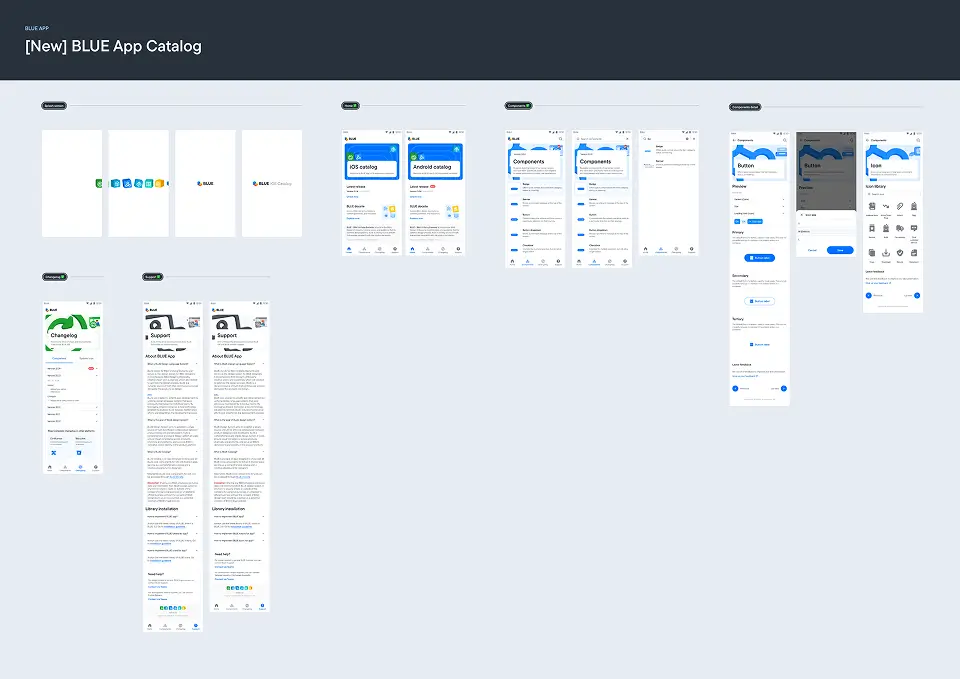
BLUE Android Catalog Application Design
- Developing all pages in the BLUE Android Catalog application, including component pages and component details to display the list of components, usage examples, and complex interaction case examples on UI elements.
- Compiling and implementing usage examples and component cases that approach real usage to illustrate behaviors, states, and interactions more realistically.
- Conducting code reviews and design QA with designers to ensure implementation aligned with the predetermined design.
- Preparing the build process, CI/CD, and application distribution through internal channels so it could be easily accessed by users.
Results
This project successfully delivered the BLUE Android Catalog, an interactive catalog application for the BLUE Android Design System that can be used by designers and Android developers as an easier and more structured reference medium for component implementation and UI interactions.
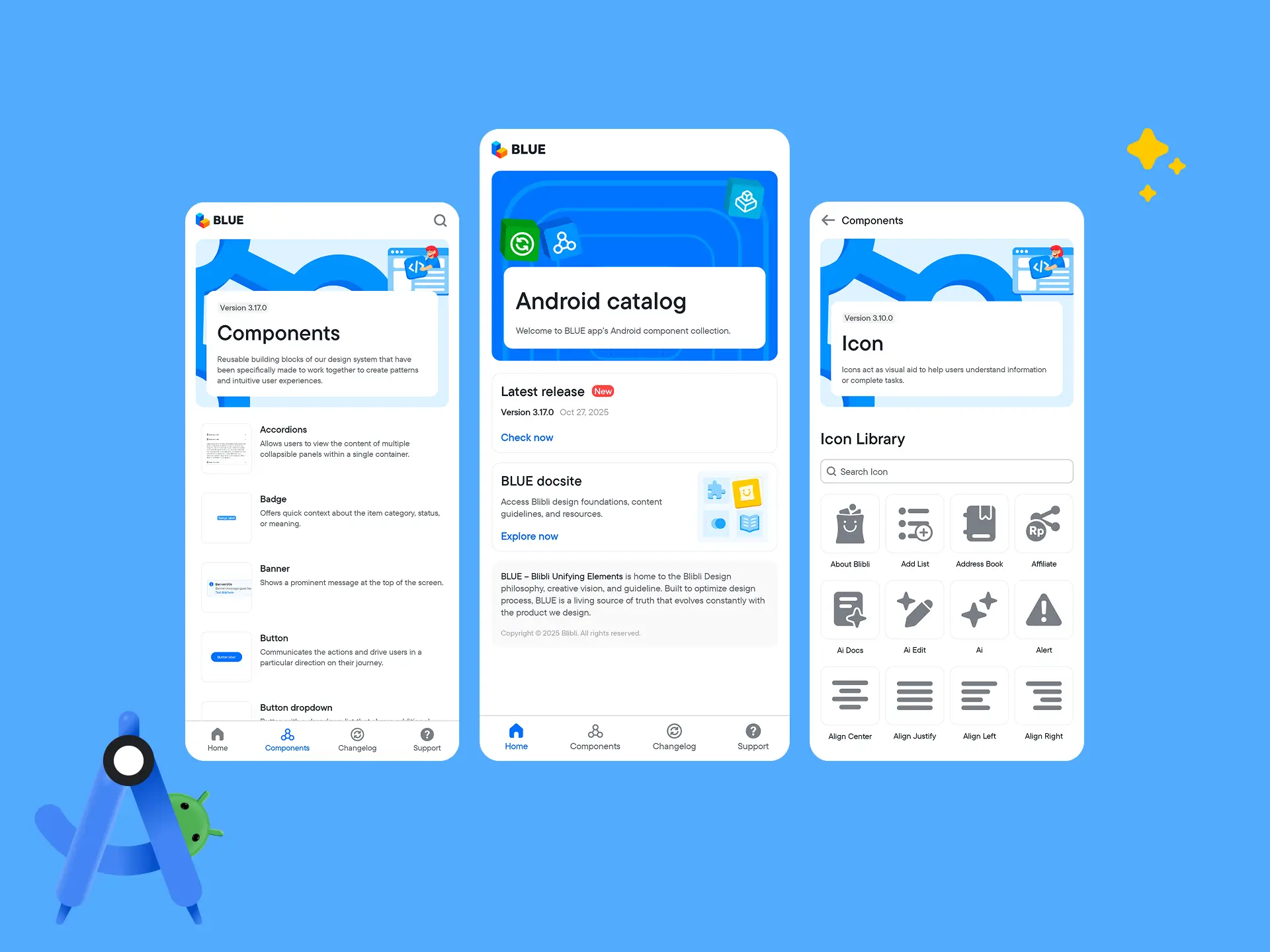
BLUE Android Catalog Application Preview
This application provides several main pages and features, including:
- A home page as the main access point to explore the BLUE Android Catalog.
- A component list page to display the entire list of components in the BLUE Android Design System.
- A component detail page displaying usage examples and complex interaction cases on UI elements.
- A changelog page to display information on application updates and development.
- A support page (FAQ) to help users understand how to use the application and components.
- A component icon page to display the list of icon libraries available in the BLUE Android Design System.
- A component search feature to simplify the process of finding components within the application.
In addition to the BLUE Android Catalog application itself, this project also included an APK distribution medium so the application can be easily accessed and downloaded by users internally via the BLUE Documentation - App Catalog Page.
Impact
Impact on the Company
- Helped accelerate the understanding and exploration process of the BLUE Android Design System for designers and Android developers.
- Facilitated the collaboration process and alignment of component implementations between designers and Android developers.
- Provided a centralized reference medium to support consistent design system usage in Android application development.
Personal Impact
- Improved understanding of Android application development, including navigation, data management between pages, theming, and splash screens through an end-to-end application development process.
- Broadened experience in the Android application implementation and distribution process, as well as understanding the Android development workflow from an engineering perspective.
- Deepened understanding of developer experience by directly trying out the use of components developed in the BLUE Android Design System.
- Developed ownership skills as a PIC in coordinating requirements, maintaining implementation alignment, and ensuring the quality of development outcomes.